Compare traffic on switch and hub ports.
Network
Scroll sideways to exploreOpen full diagram
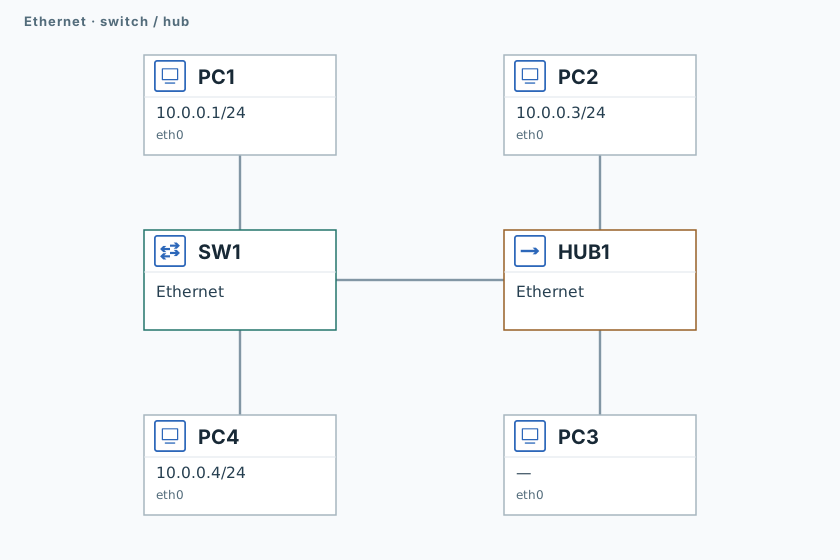
1. Prepare the switch
PC1
ping -n -c 3 -W 1 10.0.0.3SW1 learns PC2’s MAC address.
2. Capture traffic
PC3 and PC4
timeout 120 tcpdump -U --immediate-mode -i eth0 -w /tmp/lab-switch-hub.pcap "arp or icmp" &
capture_pid=$!
sleep 1PC1
ping -n -c 1 -W 1 10.0.0.250
ping -n -c 3 -W 1 10.0.0.3Address .250 is unused: the first probe will receive no reply.
3. Compare captures
PC3 and PC4
sleep 2
kill -INT "$capture_pid"
wait "$capture_pid" || true
tcpdump -nn -e -r /tmp/lab-switch-hub.pcapFind the ARP request for .250 on both PCs. ICMP between .1 and .3 should appear on PC3, but not PC4.
Validation
Click "Check". Once all steps pass, click "End".