Follow a packet through a router.
Network
Scroll sideways to exploreOpen full diagram
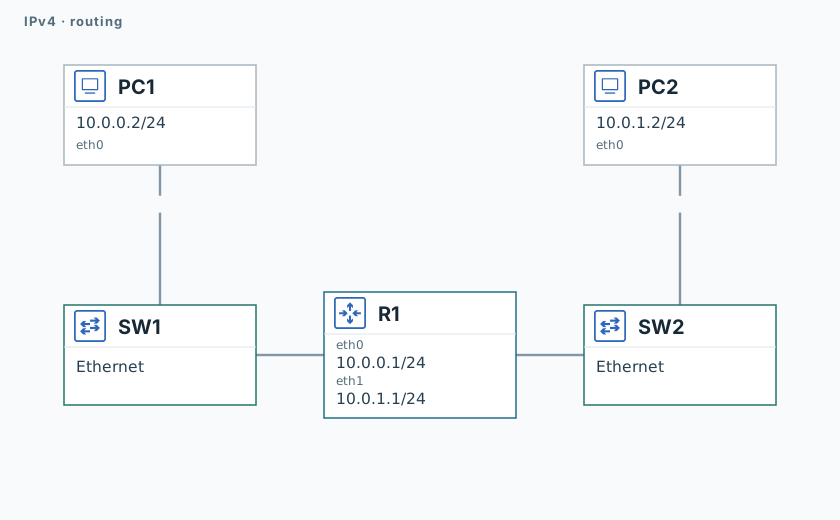
1. Inspect routes
PC1
ip -j address show
ip -j route showR1
ip -j route show
sysctl -n net.ipv4.ip_forwardFind the route to PC2. IPv4 forwarding should be enabled: 1.
2. Follow the packet
R1
timeout 120 tcpdump -U --immediate-mode -i eth1 -w /tmp/lab-router.pcap "arp or icmp" &
capture_pid=$!
sleep 1PC1
ping -n -c 3 -W 1 10.0.0.1
ping -n -c 3 -W 1 10.0.1.2PC2
ping -n -c 3 -W 1 10.0.0.2R1
sleep 2
kill -INT "$capture_pid"
wait "$capture_pid" || true
tcpdump -nn -e -r /tmp/lab-router.pcapThe pings should succeed. The capture keeps PC1 as the IP source, while R1 is the Ethernet source. Forwarding reduces TTL by one.
Validation
Click "Check". Once all steps pass, click "End".