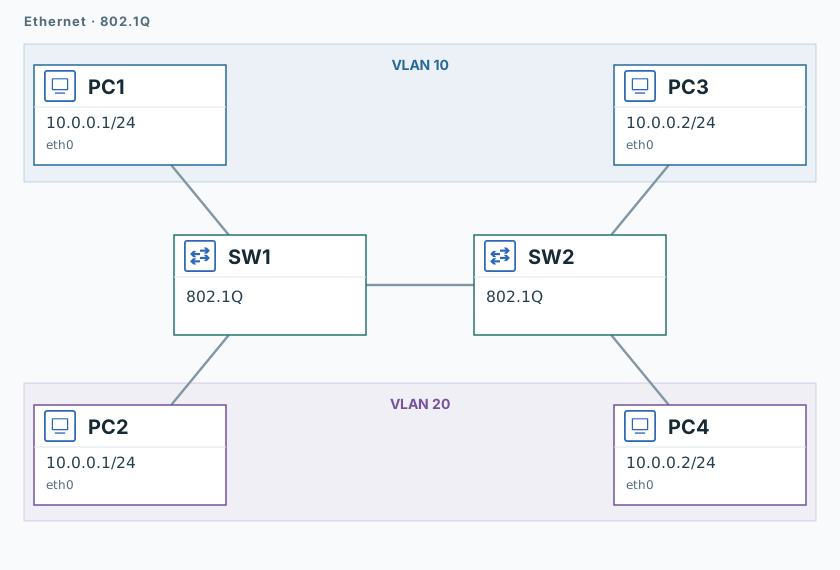
Test isolation between VLANs with duplicate IPs.
Network
Scroll sideways to exploreOpen full diagram
1. Capture receiver traffic
The VLANs and trunk are configured. Each network uses .1 for its sender and .2 for its receiver.
PC3 and PC4
timeout 120 tcpdump -U --immediate-mode -i eth0 -w /tmp/lab-vlan.pcap "arp or icmp" &
capture_pid=$!
sleep 12. Send packets
PC1, then PC2
ping -n -c 3 -W 1 10.0.0.23. Verify isolation
PC3 and PC4
sleep 2
kill -INT "$capture_pid"
wait "$capture_pid" || true
tcpdump -nn -e -r /tmp/lab-vlan.pcapBoth pings should succeed. PC3 receives ICMP requests from MAC 02:00:00:00:00:01; PC4 receives them from 02:00:00:00:00:02. Neither capture should contain the other sender.
Validation
Click "Check". Once all steps pass, click "End".