Compare ARP and ICMP for an unreachable host.
Network
Scroll sideways to exploreOpen full diagram
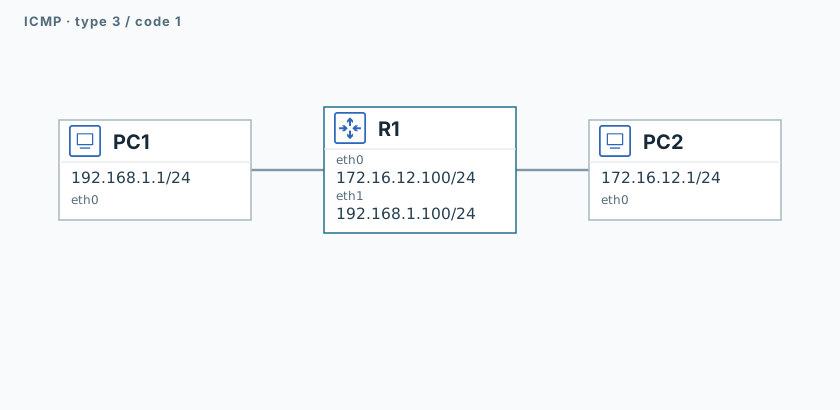
1. Test the working path
PC1
ping -n -c 3 -W 1 192.168.1.100
ping -n -c 3 -W 1 172.16.12.1Both pings should succeed.
2. Capture ARP and ICMP
R1
timeout 120 tcpdump -U --immediate-mode -i eth0 -w /tmp/lab-icmp-host.pcap "arp or icmp or tcp port 5555" &
capture_pid=$!
sleep 1PC1
timeout 120 tcpdump -U --immediate-mode -i eth0 -w /tmp/lab-icmp-host.pcap "icmp or tcp port 5555" &
capture_pid=$!
sleep 1PC1
printf 'host-unreachable\n' | nc -N -w 5 172.16.12.22 55553. Inspect the error
R1
sleep 2
kill -INT "$capture_pid"
wait "$capture_pid" || true
tcpdump -nn -e -r /tmp/lab-icmp-host.pcapPC1
sleep 2
kill -INT "$capture_pid"
wait "$capture_pid" || true
tcpdump -nn -e -r /tmp/lab-icmp-host.pcap "icmp[0] == 3 and icmp[1] == 1"On R1, find unanswered ARP requests for .22. On PC1, find ICMP 3/1 from R1: a route exists, but the host is unreachable.
Validation
Click "Check". Once all steps pass, click "End".