Getting an Address via DHCP

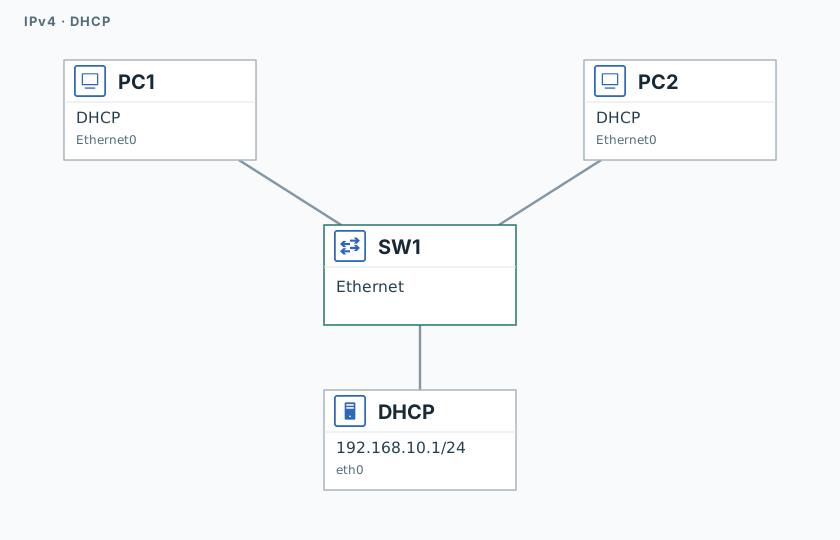
A dnsmasq DHCP server is running on the 192.168.10.0/24 subnet. The student's task is to switch the hosts to DHCP mode, obtain addresses from the pool, and verify connectivity.

The goal

Instead of manual configuration, hosts obtain addresses automatically from a DHCP server. The network runs dnsmasq, handing out addresses from 192.168.10.0/24. You'll switch both computers to DHCP mode and confirm they got addresses and can see each other.

IP plan

ParameterValue
Subnet192.168.10.0/24
Gateway (from server)192.168.10.1
Pool192.168.10.100 – 192.168.10.200

The exact addresses PC1 and PC2 receive aren't known in advance — the server assigns them.

How to open a node's console — in the guide.

Tasks

  1. On the PC1 console: ip dhcp, then save. On the PC2 console: ip dhcp, then save.
  2. Run show ip on each, then ping PC2's address from PC1.

Completion criteria

  • PC1 got an address from the 192.168.10.100-192.168.10.200 pool, gateway 192.168.10.1.
  • PC2 — same.
  • Ping between PC1 and PC2 succeeds.

Validation

Launch the lab and click "Check" on the session page. When every step turns green — click "End" to free up the stand.